Note
Go to the end to download the full example code.
Multiple regression
Multiple regression designs apply to at least two scenarios.
Analyzing a single subject’s data when trials are associated with one or multiple continuous variables.
Analyzing group data when subjects are associated with one or multiple individual difference variables.
Here the analysis is illustrated for a simulated dataset from a single subject. Group analysis works analogously, except that each case in the datatset would represent a different subject rather than a different trial.
For such group analysis, it is necessary to reduce each subject’s data to a single case first because multiple regression assumes a fixed effects model. Such designs are described under Two-stage test.
Simulated data
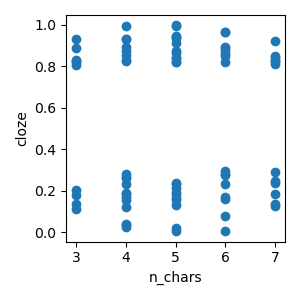
The data represents 80 trials from a simulated word reading paradigm, where each word is associated with a word length (n_chars) and predictability (cloze).
p = plot.Scatter('cloze', 'n_chars', data=data, h=3)
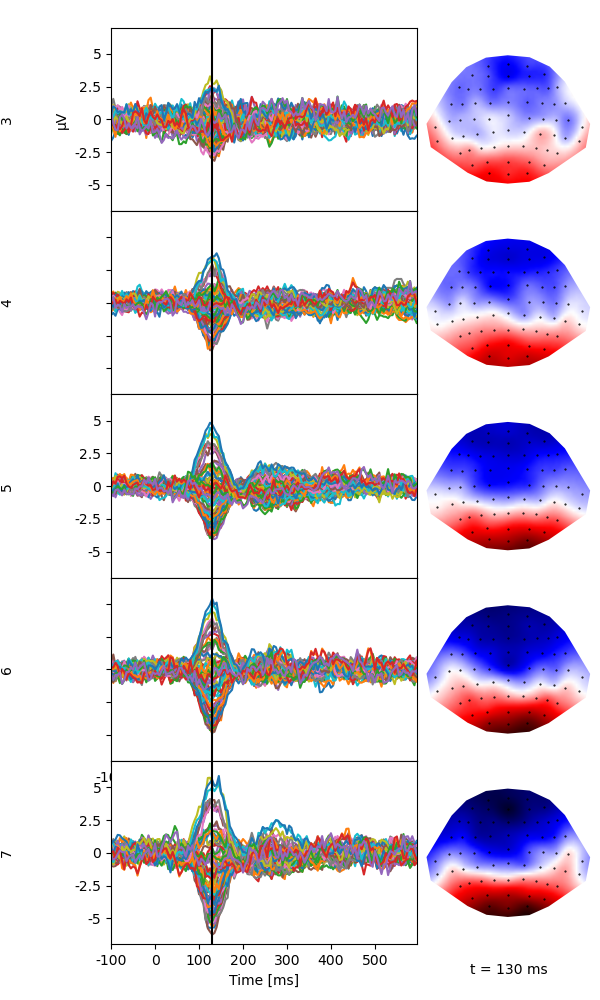
Plot the average of each level on n_chars to illustrate the linear increase of the response around 130 ms with n_char.
p = plot.TopoButterfly('eeg', 'n_chars', data=data, t=.130, axh=2, w=6)
Multiple regression
Fit a multiple regression model. Estimate $p$-values using a cluster-based permuatation test, using a cluster-forming threshold of uncorrected $p$=.05. For this example, only 500 permutations are used. When accuracy counts, it is recommended to use 10,000 permutations (the default).
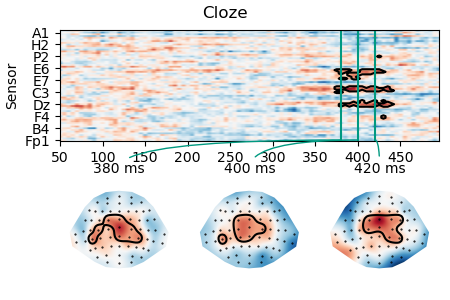
A quick plot suggests an early effect related to n_chars around 130 ms, and a later effect of cloze around 400 ms:
p = plot.TopoButterfly(lm, t=0.130, axh=2, w=6)
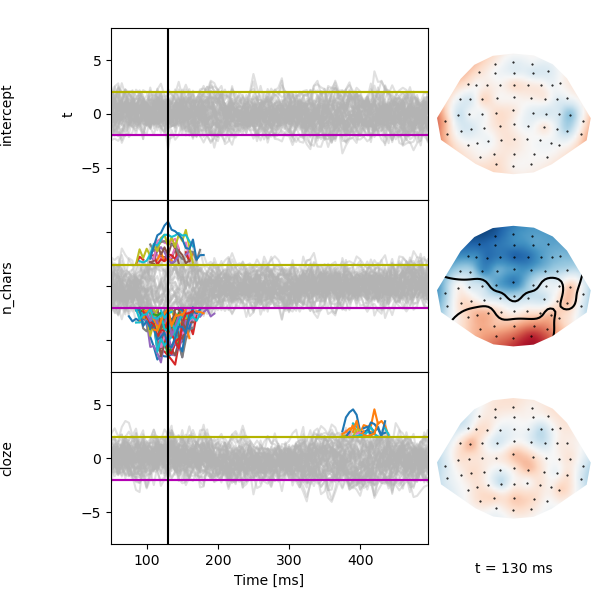
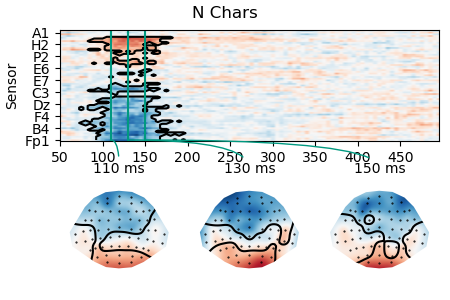
Detailed plots of the two effects show that the cluster is quite variable due to noise in the data.
p = plot.TopoArray(lm.masked_parameter_map('n_chars'), t=[0.110, 0.130, 0.150], title='N Chars')
p = plot.TopoArray(lm.masked_parameter_map('cloze'), t=[0.380, 0.400, 0.420], title='Cloze')
To access some of the test results we need to know the index of different effects:
('intercept', 'n_chars', 'cloze')
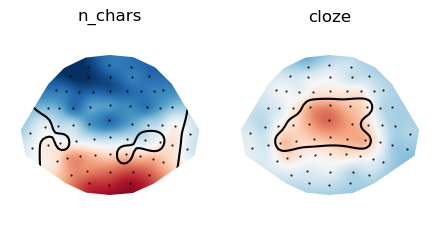
Create a plot that shows the spatial cluster extent across time.
EFFECTS = [
    ('n_chars', (0.110, 0.150)),
    ('cloze', (0.380, 0.420)),
]

t_maps = []
for effect, time in EFFECTS:
    # t-maps are retrieved by effect name
    t = lm.t(effect).mean(time=time)
    # p-maps are stored in a list, so we need to know the index of te effect
    index = lm.effects.index(effect)
    # We are interested in the maximal spatial cluster extent, i.e., any sensor that is part of the cluster at any time
    p = lm.p[index].min(time=time)
    # Create a masked average t map
    t_av = t.mask(p > 0.05)
    t_maps.append(t_av)

p = plot.Topomap(t_maps, columns=2)
Total running time of the script: (0 minutes 5.278 seconds)